
 Join our Discord
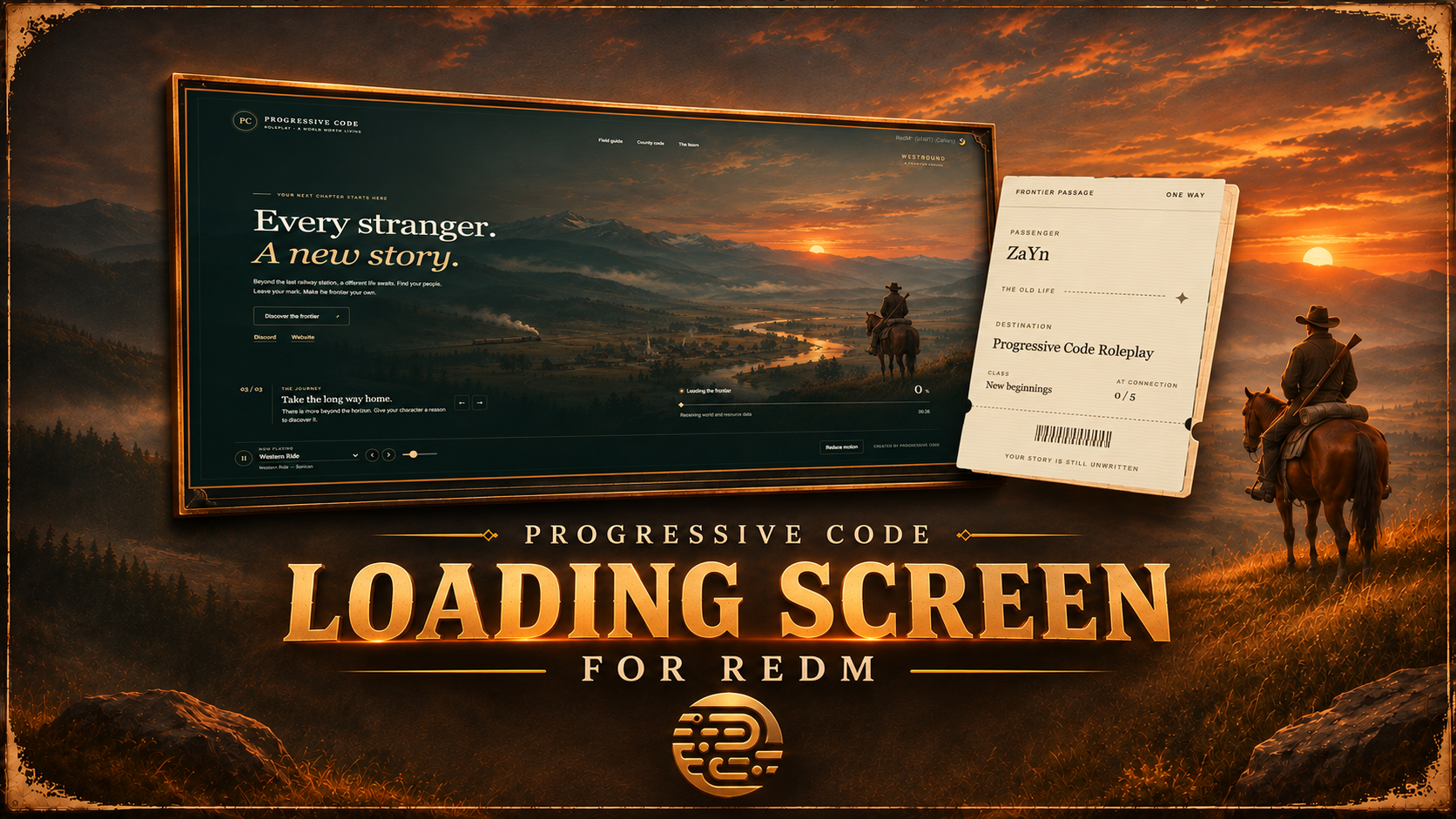
LOADING SCREEN For RedM Fully Standalone
A cinematic frontier experience. A better first impression.
Your players' journey begins before they even enter your world.
Westbound is a standalone RedM Loading Screen created by Progressive Code, featuring a cinematic western atmosphere, elegant interface design, immersive ambient music and customizable server information.
Designed to give your community a distinctive first impression, Westbound combines visual presentation with practical features to make the connection experience more enjoyable.
And the best part?
It's completely FREE.
✦ FEATURES & HIGHLIGHTS
🎬 Cinematic Western Design
Custom-made cinematic western background artwork.
Atmospheric frontier-inspired visual design.
Elegant typography, animations and interface elements.
Responsive layout for different screen resolutions.
Optional background video support, with image fallback.
Customizable accent color and server branding.
Optional server logo or initials-based branding.
🎵 Integrated Music Player
An ambient music experience with a built-in playlist and playback controls.
3 included ambient soundtracks.
Direct track selection through a playlist dropdown.
Previous and next track controls.
Play and pause functionality.
Adjustable volume slider.
Configurable automatic looping.
Optional autoplay setting.
Remembers the player's last selected track and volume locally when browser storage is available.
Included Soundtracks:
Western Theme
Western Ride
Country Music
📜 Customizable Story Chapters
Give your players something to explore while they connect.
Multiple configurable story chapters.
Automatic chapter rotation.
Manual previous and next navigation.
Custom chapter titles, descriptions and labels.
Adjustable chapter rotation interval.
Option to disable automatic rotation.
🎫 Personal Connection Ticket
A dedicated connection information section that can display:
Connecting player's name.
Server population.
Maximum server capacity.
Personalized server destination and branding.
Player information and population are configurable through the connection handover system. Population is displayed as a connection-time snapshot.
📖 Information Panels
Keep important server information available directly inside the loading screen.
Three configurable information sections are included:
Field Guide — Introduce players to your world and provide useful information.
County Code — Display your server rules and guidelines.
The Team — Present staff and support information.
All panel content can be edited through the configuration file. Empty sections automatically hide their navigation buttons.
🌐 Community Links
Connect your players with your community.
Configurable Discord link.
Configurable Website link.
Customizable link labels.
HTTPS-only external link validation.
📊 Real Loading Progress
The loading screen uses actual Cfx loading progress messages.
Real loading progress percentage.
Animated progress bar.
Dynamic loading status messages.
Connection status information.
Elapsed connection time.
Additional waiting information when loading takes longer.
No artificially generated gameplay progress.
The displayed loading percentage follows the progress data received from Cfx.
⚙️ Loading Lifecycle & Configuration
Control how and when your loading screen closes.
Automatic loading screen shutdown.
Configurable fade-out duration.
Adjustable delay after the network session becomes ready.
Additional
playerSpawnedshutdown signal.Configurable safety timeout.
Manual shutdown mode for custom character selection and spawn systems.
Custom status messages through an export.
Cleanup of audio, video and UI timers during shutdown.
Included Client Exports:
-- Close the loading screen.
exports.pc_loadingscreen:Close()

-- Update the loading status.
exports.pc_loadingscreen:SetStatus('Preparing your character...')
♿ Motion & Interface Preferences
Built-in Reduce Motion control.
Respects the operating system's reduced-motion preference.
Remembers the selected motion preference locally when storage is available.
Keyboard-friendly information panels.
Accessible interface controls and labels.
⚙️ EASY CONFIGURATION
Customize your loading screen without complicated installation procedures or build tools.
Shared/Main.lua
Configure:
Debug mode.
Automatic or manual shutdown.
Fade duration.
Session-ready delay.
Safety timeout.
Connection handover information.
Status message length.
Html/Js/Config.js
Configure:
Server name, initials and branding.
Subtitle and destination.
Optional server logo.
Main accent color.
Welcome headline and introduction.
Background image and optional video.
Music playlist and playback preferences.
Story chapters and rotation.
Field Guide, County Code and Team information.
Discord and Website links.
Loading status messages and interface labels.
Your server, your identity. Make it your own.
The resource uses local assets and does not require an external package manager, framework or database.
📦 WHAT'S INCLUDED
Complete Progressive Code Loading Screen resource.
Cinematic western background artwork.
3 included ambient soundtracks.
HTML, CSS and JavaScript source files.
Lua client and server scripts.
Shared configuration file.
Visual configuration file.
Installation documentation.
English installation guides.
Westbound is the first release after a long time for Progressive Code.
After a period of inactivity, we're returning to development with a fresh approach and more projects ahead.
We prefer delivering quality work over making promises.